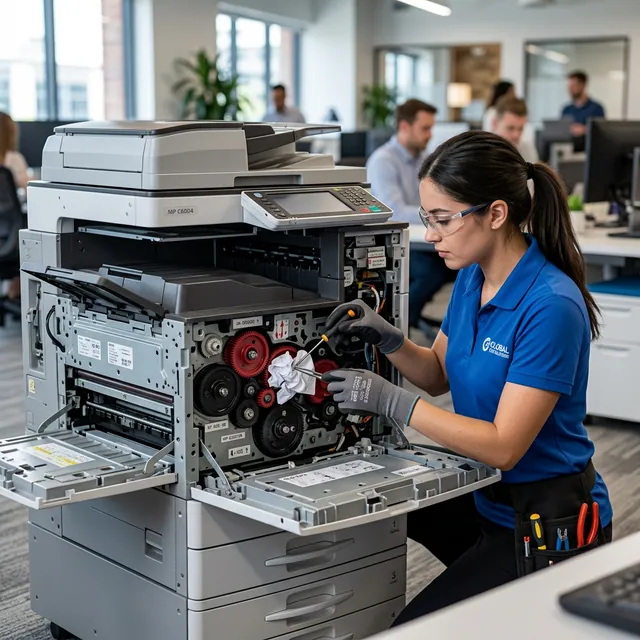
One of the most frequent mechanical malfunctions encountered by Canon inkjet and MegaTank printer owners is when the printer fails to feed paper from the tray, struggles to advance sheets, or pulls paper crookedly, resulting in immediate paper jams. Hearing the internal drive motor and gears spin while the paper tray sits completely motionless—accompanied by a persistent “No paper” prompt—is an exasperating experience.
When a printer fails to pick up paper, it triggers Support Codes such as 1000, 1003, 1007, or 1008, entering an alarm state. While this often points to simple dust contamination, it can also signify mechanical gear wear, broken drive teeth, or physical degradation of the rubber pick-up rollers.
In this guide, the technical service team at ProTech Bilgisayar draws upon years of workshop experience to share the causes of Canon paper feed failure, diagnostic symptoms, practical home cleaning procedures, and permanent workshop solutions.
What Is the Paper Feed Issue?
The mechanical component responsible for separating and drawing paper from the tray into the print zone is the paper pick-up roller. This cylinder is wrapped in high-friction, textured rubber designed to grip the surface of paper sheets.
Over time, microscopic paper fibers, airborne dust, and aerosolized ink mist accumulate on this rubber surface, polishing it down into a slick, glazed texture. Once smooth, the roller loses traction and spins uselessly over the paper without moving it. Technically, this failure is termed “Roller Glazing and Wear.”
Causes of Paper Feed Failure:
- Roller Contamination and Glazing: The rubber tread becomes coated in fine paper dust, eliminating friction.
- Foreign Object Obstruction: Small items such as paperclips, coins, pens, hairpins, or torn paper fragments fall into the open top feeder, wedging the feed mechanism.
- Paper Quality and Humidity: Excessively damp sheets, stuck pages, or paper that is too heavy/thin for the tray specification.
- Roller Rubber Wear and Gear Fractures: The rubber sleeve tears over time, or internal plastic drive gears strip their teeth.
- Paper Sensor Flag Defect: The tiny mechanical plastic arm that detects the passing sheet breaks or becomes jammed with dust.
What Are the Symptoms?
When a Canon printer experiences paper feed issues, the following symptoms arise:
1. Panel Lights and Screen Codes
- On LCD-equipped models: “Support Code: 1000” or “1003. There is no paper in the printer. Load paper and press Start.”
- The orange (Alarm) LED on the front control panel blinks 2 or 3 times consecutively.
2. Mechanical Sounds and Behavior
- Pressing print triggers a loud rubbing noise or rapid plastic gear clicking (grinding noise) from the rear feed module.
- The roller visibly rotates, but the paper only jerks 1–2 cm, skews sideways, or remains completely stationary.
- The printer enters a head cleaning routine or throws an error state despite a full paper tray.
Which Models Are Affected?
This mechanical failure is most prevalent on Canon models utilizing top/rear paper feed trays:
1. Canon Pixma G Series (MegaTank Models)
- G1400, G2400, G3400, G4400
- G1411, G2411, G3411, G3415, G4411
- G2420, G3420, G3460
2. Canon Pixma TS and MG Series (Home Cartridge Printers)
- MG2450, MG2550, MG2555S, MG3050, MG3650, MG3550
- TS3150, TS3350, TS3450, TS5150, TS5350
3. Canon Pixma Pro and A3 Models
- iX6850, iX6550, iP8750 (Heavyweight artistic papers accelerate roller wear on wide-format printers).
What Can Users Do on Their Own?
Before bringing your printer to our workshop, you can attempt these safe, practical troubleshooting steps at home:
1. Clean Paper Feed Rollers via Software
Canon printer drivers feature an automated roller scrubbing utility:
- Remove all paper from the feed tray.
- On your Windows computer, open Control Panel -> Devices and Printers, right-click your Canon printer, and select Printing Preferences -> Maintenance tab.
- Click “Roller Cleaning.”
- The printer will rapidly spin the rollers without paper, scrubbing loose surface fibers. Repeat this cycle 2 to 3 times.
- Then, load 3 to 4 blank sheets into the tray and run the cleaning routine once more. The printer will feed and eject the blank sheets to wipe away loosened dust.
2. Manual Roller Cleaning (with Damp Cloth)
If automated cleaning proves insufficient, clean the rubber manually:
- Unplug the printer power cord.
- Open the rear paper tray flap. Using a flashlight, inspect the center of the feed chute to locate the gray or black rubber pick-up roller.
- Wrap a lint-free microfiber cloth lightly moistened with pure isopropyl alcohol or clean distilled water around your finger.
- Reach inside and gently wipe the rubber tread. Slowly rotate the roller by hand to clean its full 360-degree circumference.
- Never use household solvents, bleach, or solvent sprays, as they degrade rubber compounds. Allow the roller to dry completely before testing.
3. Foreign Object Inspection
- Never turn the printer upside down (especially MegaTank units, as ink will flood the logic board and scanner!).
- Shine a flashlight down the paper feed throat. If you spot a jammed staple, coin, or torn corner, gently extract it with long tweezers.
When Is Technical Service Required?
Seek professional repair if you notice the following physical symptoms:
- The pick-up roller fails to rotate at all, or slips continuously despite repeated cleaning.
- Loud gear-grinding sounds occur during feed attempts (indicating stripped or misaligned drive gear teeth).
- Paper feeds 2–3 cm and jams crookedly at the exact same position every time (indicating a jammed foreign object or broken sensor arm).
- The printer consistently rejects heavy photo paper, cardstock, or envelopes.
What Is the Permanent Solution?
At ProTech Bilgisayar, our workshop provides thorough mechanical restoration:
1. Pick-up Roller Rubber Replacement
We dismantle the feed cassette assembly, remove the hardened or flat-spotted rubber tire, and install an OEM-grade high-friction replacement roller set.
2. Gear Box and Feed Motor Repair
The feed drive train is inspected under magnification. Stripped plastic gears are replaced with genuine Canon spare gears and lubricated with synthetic silicone grease.
3. Safe Foreign Object Extraction and Sensor Repair
The chassis is opened safely, eliminating wedged foreign bodies without marring internal rollers, and broken paper detection flags are replaced.
Solutions and Comparison:
| Action | Problem Solved | Longevity | Service Time |
|---|---|---|---|
| Automated Roller Clean | Light dust buildup | Short–Medium | 15–30 min |
| Roller Rubber Replacement | Worn, glazed rubber | Permanent | 1–2 hours |
| Gear Train Repair | Stripped/cracked gears | Permanent | 1 day |
| Foreign Object Extraction | Chute blockage | Permanent | 1–2 hours |
ProTech Bilgisayar Technical Service Advantage
We provide expert Canon printer repair in Antalya backed by a comprehensive inventory of genuine pick-up rollers, separation pads, and drive gears. When your printer fails to feed paper or jams repeatedly, bring it to our workshop to avoid stripping delicate plastic gears. Benefit from same-day diagnostic inspection and rapid turnaround.
Internal Links:
- Printer Repair Services Antalya — Comprehensive mechanical maintenance
- Epson Paper Jam Error Fix — Mechanical paper feed issues on Epson printers
Frequently Asked Questions
Why won’t my Canon printer feed paper?
The most common cause is that the rubber pick-up roller has become glazed and slippery due to paper dust accumulation. Other frequent causes include foreign objects jammed in the feed tray or stripped drive gears.
What does Support Code 1000 mean on a Canon printer?
It indicates a “No Paper” error. If this error appears while paper is physically loaded in the tray, it means the pick-up roller cannot grip or advance the paper.
What should I use to clean the printer pick-up roller?
Use only a lightly damp microfiber cloth or pure isopropyl alcohol. Never use cologne, window cleaner, or dish soap, as chemical solvents degrade rubber elasticity.
Canon G3411 won’t feed paper and makes a grinding gear noise. What is the cause?
A foreign object like a paperclip or coin has almost certainly fallen into the rear feeder, locking the feed gears and causing the motor to skip teeth with a grinding noise.
The printer pulls paper at an angle and jams it. What should I do?
One side of the roller may be worn or contaminated, pulling one side of the sheet faster than the other. Thorough roller cleaning or rubber replacement is required.
Why does the printer feed regular paper but slips on photo paper?
Photo paper is significantly thicker, heavier, and smoother. A degrading roller that still manages to pull thin 80g paper will slip on slick photo paper. Replacing the roller rubber is necessary.
How do you fix a Canon printer pulling multiple sheets at once?
Feeding multiple sheets simultaneously is caused by a worn separation pad at the bottom of the feed cassette. This pad must be replaced in a workshop.
Do roller cleaning sprays work effectively?
Rubber rejuvenator sprays (like Platenclene) temporarily restore tackiness to slightly glazed rubber, but severely worn, flat-spotted rollers require permanent replacement.
How many times does the alarm light blink when paper won’t feed?
Depending on the model, the orange alarm LED typically flashes 2 or 3 times consecutively.
Is it safe to turn the printer upside down and shake it to dislodge objects?
Absolutely not. In continuous ink models (like the G series), turning the machine upside down spills liquid ink across the mainboard, scanner glass, and mechanics, destroying the printer.
Does loading too much paper into the tray hinder feeding?
Yes. Exceeding the maximum fill line prevents the pick-up roller from dropping to the correct grip angle, leading to misfeeds and multiple-sheet jams.
What happens if the paper sensor lever (flag) is broken?
The printer will pull the paper through but fail to detect its leading edge, continuing to trigger a false “No Paper” error. The sensor flag must be replaced.
Is replacing a printer pick-up roller expensive?
No. Roller replacement is a rapid, highly economical mechanical servicing procedure compared to printhead or logic board repairs.
Why does the printer fail to feed non-standard sizes like A5 or envelopes?
If the adjustable paper guide tabs in the feed tray are not pushed snugly against the stack, the paper twists, and the roller cannot center its grip.
How long does paper feed repair take for a Canon printer in Antalya?
Roller replacement and foreign object removal are generally completed within the same day thanks to our in-house spare parts inventory.
📞 0850 220 4323 — Contact ProTech Bilgisayar in Antalya for guaranteed Canon paper feed, roller replacement, and mechanical gear repair.
ProTech Bilgisayar — Fast, dependable mechanical repairs for all Canon printer models in Antalya.
Frequently Asked Questions
Why won't my Canon printer feed paper?
The most common cause is that the rubber pick-up roller has become glazed and slippery due to paper dust accumulation. Other frequent causes include foreign objects jammed in the feed tray or stripped drive gears.
What does Support Code 1000 mean on a Canon printer?
It indicates a 'No Paper' error. If this error appears while paper is physically loaded in the tray, it means the pick-up roller cannot grip or advance the paper.
What should I use to clean the printer pick-up roller?
Use only a lightly damp microfiber cloth or pure isopropyl alcohol. Never use cologne, window cleaner, or dish soap, as chemical solvents degrade rubber elasticity.
Canon G3411 won't feed paper and makes a grinding gear noise. What is the cause?
A foreign object like a paperclip or coin has almost certainly fallen into the rear feeder, locking the feed gears and causing the motor to skip teeth with a grinding noise.
The printer pulls paper at an angle and jams it. What should I do?
One side of the roller may be worn or contaminated, pulling one side of the sheet faster than the other. Thorough roller cleaning or rubber replacement is required.
Why does the printer feed regular paper but slips on photo paper?
Photo paper is significantly thicker, heavier, and smoother. A degrading roller that still manages to pull thin 80g paper will slip on slick photo paper. Replacing the roller rubber is necessary.
How do you fix a Canon printer pulling multiple sheets at once?
Feeding multiple sheets simultaneously is caused by a worn separation pad at the bottom of the feed cassette. This pad must be replaced in a workshop.
Do roller cleaning sprays work effectively?
Rubber rejuvenator sprays (like Platenclene) temporarily restore tackiness to slightly glazed rubber, but severely worn, flat-spotted rollers require permanent replacement.
How many times does the alarm light blink when paper won't feed?
Depending on the model, the orange alarm LED typically flashes 2 or 3 times consecutively.
Is it safe to turn the printer upside down and shake it to dislodge objects?
Absolutely not. In continuous ink models (like the G series), turning the machine upside down spills liquid ink across the mainboard, scanner glass, and mechanics, destroying the printer.
Does loading too much paper into the tray hinder feeding?
Yes. Exceeding the maximum fill line prevents the pick-up roller from dropping to the correct grip angle, leading to misfeeds and multiple-sheet jams.
What happens if the paper sensor lever (flag) is broken?
The printer will pull the paper through but fail to detect its leading edge, continuing to trigger a false 'No Paper' error. The sensor flag must be replaced.
Is replacing a printer pick-up roller expensive?
No. Roller replacement is a rapid, highly economical mechanical servicing procedure compared to printhead or logic board repairs.
Why does the printer fail to feed non-standard sizes like A5 or envelopes?
If the adjustable paper guide tabs in the feed tray are not pushed snugly against the stack, the paper twists, and the roller cannot center its grip.
How long does paper feed repair take for a Canon printer in Antalya?
Roller replacement and foreign object removal are generally completed within the same day thanks to our in-house spare parts inventory.