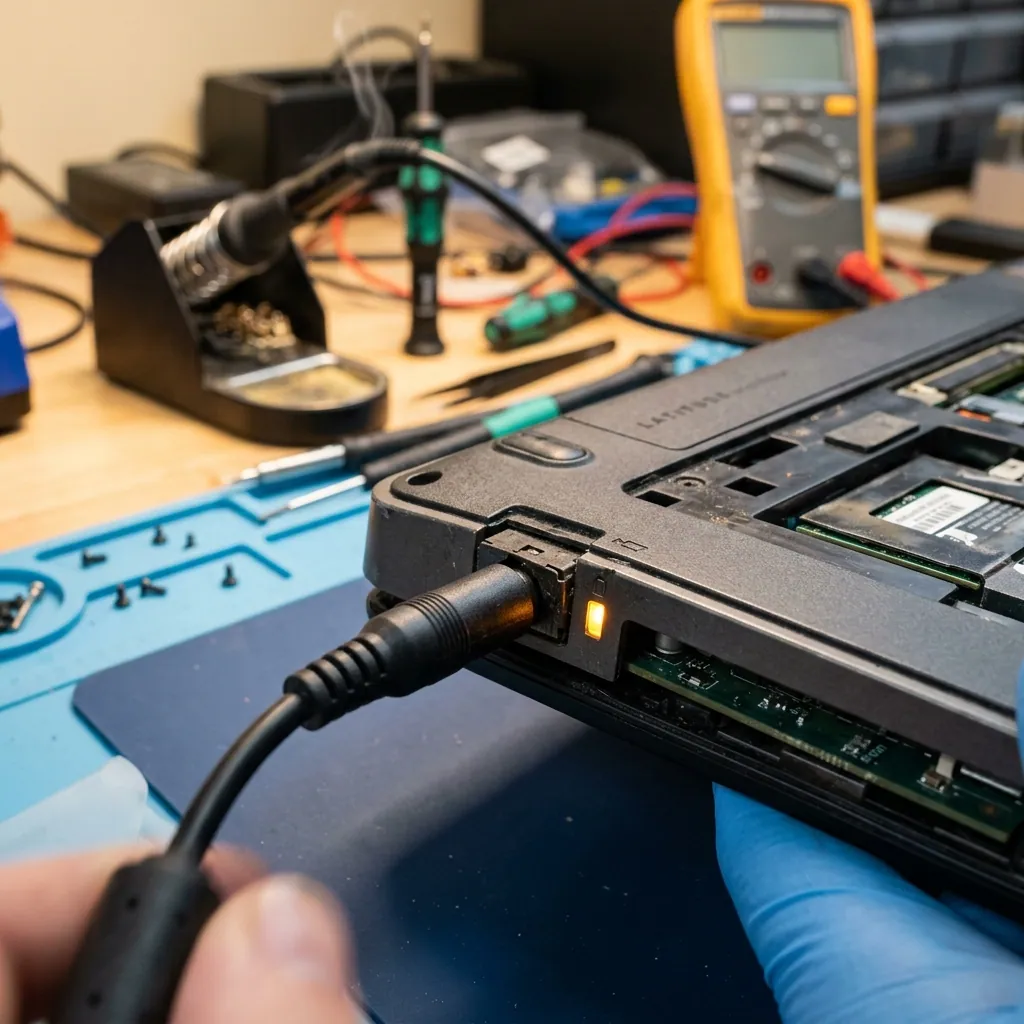
You open your laptop before work — the screen stays black, no charging indicator illuminates, and the device appears completely lifeless. Or perhaps you plug in the power brick, but the battery percentage remains stuck for hours. These scenarios represent some of the most frequent service requests. Fortunately, most laptop charging problems can be systematically diagnosed and repaired affordably — provided you proceed methodically through the right diagnostic steps.
In this guide, we explain how to test the three primary culprits behind laptop charging failures — the AC adapter, the DC Jack socket, and the battery pack — how to recognize urgent hazards, and how our professional repair process operates.
Şarj Sorunlarının Üç Ana Kaynağı
When a laptop refuses to charge, the fault almost always originates from one of three areas:
| Source | Frequency | Repair Difficulty |
|---|---|---|
| AC Adapter / Power Cable | 35% | Simple (replacement) |
| DC Jack Socket | 40% | Moderate (micro-soldering) |
| Battery / BMS Board | 25% | Simple to Moderate (replacement) |
Eliminating each element step by step saves both substantial expense and unnecessary downtime.
Adım 1: Adaptörü Test Edin
Adapter failures are the easiest to detect and the most affordable to resolve.
Gözle Kontrol
Inspect the power cord carefully along its entire length, focusing on these vulnerable areas:
- Strain relief joints: The cord junction where the cable enters the adapter brick and the molded collar adjacent to the DC barrel plug suffer the most internal wire fatigue.
- Thermal damage: Any bubbling, discoloration, or melted plastic along the cable indicates internal short-circuit arcing.
- Connector tip: Is the thin metal barrel or center pin bent, crushed, or oxidized?
LED Işığı Testi
Many adapter bricks feature an indicator LED. When plugged into a wall outlet, this LED should illuminate even without connecting to the laptop. If it remains dark, the internal transformer or fuse has blown.
Farklı Adaptörle Test
If possible, borrow a verified working adapter from the identical laptop brand and model (matching voltage and amperage). If your laptop charges normally on the borrowed charger, the adapter was defective.
Warning: Never use an adapter with mismatched voltage (V). Incorrect voltage can destroy motherboard VRMs permanently. Verify the V (voltage) and A (amperage) specifications on the label before testing.
Adım 2: DC Jack Soketini Test Edin
If the adapter is functioning properly, the fault is usually within the charging port (DC Jack). This small connector is mounted inside the laptop chassis and endures mechanical leverage and cable tugging every day.
DC Jack Arızasının Belirtileri
Contact fatigue: When plugging in the charger, no light appears, but gently wiggling or angling the plug collar causes the charging LED to flicker on and off — this is classic DC Jack contact fatigue. Internal solder joints connecting the socket to the board have cracked over time.
Physical looseness: If the plug feels excessively loose inside the port, the internal plastic retaining sleeve is broken. If the cord drops out by gravity alone, socket replacement is required.
Excessive heat or burning odor: If the chassis area around the charging port becomes hot to the touch or smells like scorched plastic, power off the laptop immediately and disconnect the charger. A dangerous short circuit is developing.
Ev Ortamında Yapabileceğiniz Son Test
- Connect the charger.
- Carefully and gently tilt the plug collar at different angles.
- Observe the laptop’s charging status LED at each position.
- If the light blinks or cuts in and out → DC Jack physical contact failure.
- If the light remains completely unlit → the DC Jack or underlying input traces are broken.
Adım 3: Bataryayı Değerlendirin
If both the adapter and DC socket are healthy but the machine refuses to hold a charge or displays “Plugged in, not charging”, the battery pack requires evaluation.
Windows’ta Batarya Raporu Oluşturma
Open Command Prompt (CMD) as an Administrator and enter the following command:
powercfg /batteryreport /output C:\battery-report.html
Open the generated HTML report and examine two crucial figures:
- Design Capacity: The original factory capacity when brand-new (mWh)
- Full Charge Capacity: The maximum capacity the cells can store today
If Full Charge Capacity has dropped below 60% of Design Capacity, the battery has reached chemical exhaustion and should be replaced.
Batarya Arızasının Kritik Belirtileri
| Symptom | Risk Level | Action Required |
|---|---|---|
| Swollen battery pack, chassis bulging | 🔴 Critical Hazard | Cease use immediately, do not charge, visit workshop |
| Sudden shutdown when unplugged | 🟠 High | Schedule workshop replacement this week |
| Percentage erratic (jumps 0% to 100%) | 🟡 Moderate | BMS recalibration or battery replacement |
| Fast depletion (80% to 20% in 30 min) | 🟢 Low | Planned routine replacement |
Important: Swollen lithium batteries contain pressurized flammable gases. If the bottom chassis plate or trackpad is bulging, disconnect power immediately and bring the machine to our workshop for safe disposal and replacement.
Anakart Kaynaklı Şarj Sorunları
If testing all three areas yields no faults, the issue resides in the motherboard’s Power Management IC or input switching MOSFETs. In this scenario:
- The AC adapter outputs proper voltage under load
- The DC Jack is mechanically and electrically sound
- The battery is healthy
- Yet the laptop still refuses to charge
This situation frequently follows voltage spikes or minor liquid exposure. When micro-controllers like the ISL9238 or BQ24780S fail, component-level board repair is the only permanent solution.
DC Jack Tamiri Nasıl Yapılır?
DC Jack repair requires precision micro-soldering tooling and disassembly expertise. The process involves:
1. Diagnostic Verification and Chassis Disassembly
We confirm socket failure and carefully unclip the chassis using model-specific service guidelines to avoid damaging delicate plastic snaps or ribbon cables.
2. Desoldering the Broken Socket
Using temperature-controlled desoldering stations, the damaged DC Jack is removed without lifting sensitive PCB copper pads.
3. Soldering the OEM Replacement
A brand-new OEM-grade DC Jack is aligned and soldered using leaded solder to provide superior mechanical flexibility and resistance to future stress cracks.
4. Electrical Load Testing
Before reassembly, we connect a bench power supply and verify input voltage stability and temperature under continuous charging load.
ProTech Bilgisayar’da DC Jack Tamiri
At ProTech Bilgisayar, our DC Jack services include:
- Free preliminary diagnosis (adapter, socket, or motherboard?)
- OEM-grade socket replacement or reinforcement soldering
- Professional chassis disassembly and reassembly
- 90-day comprehensive repair warranty
- Same-day completion for the vast majority of laptop models
Tamir mi, Yeni Cihaz mı?
General practical recommendations:
- Adapter Failure: Replace it immediately. Cost is negligible compared to laptop value.
- DC Jack Repair: Highly cost-effective. Labor and parts typically total just 5% to 15% of device replacement value.
- Battery Replacement: Worthwhile for modern laptops to restore mobile autonomy.
- Motherboard Power Circuit: Highly recommended if component-level micro-soldering is available and the laptop is under 4 years old.
İlgili Hizmetler
- Laptop Repair Services — Multi-brand laptop maintenance and repair in Antalya
- Computer Repair — Comprehensive desktop and notebook hardware service
- Technical Support — Remote and on-site IT technical assistance
Sık Sorulan Sorular (SSS)
Laptop şarj ışığı yanmıyor ama adaptör çalışıyor — sorun nedir?
This is typically caused by a loose DC Jack (charging socket) or a failure in the motherboard charging regulation circuitry. If tilting the adapter plug causes the light to flicker momentarily, it is physical socket contact fatigue. If completely unresponsive, a motherboard power rail issue is probable.
DC Jack tamiri ne kadar sürer?
On most laptops, DC Jack repair takes between 1 and 3 hours. If the replacement part is in our workshop stock, same-day delivery is standard.
Laptop “Bağlı, şarj edilmiyor” yazıyor — ne yapmalıyım?
This notification usually originates from the battery BMS. First, evaluate battery health using powercfg /batteryreport. If capacity has fallen below 60%, replace the battery. A BIOS update also occasionally clears communication glitches.
Farklı amperli bir adaptör kullanabilir miyim?
Voltage (V) must match identically — different voltage can destroy the motherboard. Amperage (A) can be higher than original ratings; the laptop will only draw what it requires. Lower amperage adapters will overheat or fail to charge the battery.
Şişen batarya tehlikeli mi?
Yes. Swollen lithium-ion batteries present severe fire and chemical hazards. If your casing or trackpad is bulging, power off immediately and bring the laptop to a service workshop.
Laptop şarj sorunlarında garanti kapsamında işlem yapılıyor mu?
All charging socket repairs, adapter replacements, and battery installations performed at ProTech Bilgisayar include a 90-day warranty.
📞 0850 220 4323 — Book a free preliminary diagnosis appointment for your laptop charging issues.
ProTech Bilgisayar — Antalya’s center for guaranteed DC Jack, adapter, and battery repair solutions.
Frequently Asked Questions
The laptop charge light doesn't turn on, but the adapter works — what is the issue?
This is typically caused by a loose DC Jack (charging socket) or a failure in the motherboard charging regulation circuitry. If tilting the adapter plug causes the light to flicker momentarily, it is physical socket contact fatigue. If completely unresponsive, a motherboard power rail issue is probable.
How long does DC Jack repair take?
On most laptops, DC Jack repair or replacement takes between 1 and 3 hours. Turnaround can extend slightly on premium laptops where the socket is soldered directly to the mainboard. At ProTech Bilgisayar, in-stock parts are replaced same-day.
Laptop displays 'Plugged in, not charging' — what should I do?
This notification usually originates from the battery BMS (Battery Management System). First, evaluate battery health using the 'powercfg /batteryreport' command. If capacity has fallen below 60% of design capacity, replacement is required. A BIOS update also occasionally clears communication glitches.
Can I use an adapter with a different amperage rating?
Voltage (V) must match identically; differing voltage can burn motherboard circuits. Amperage (A) can be higher than the original rating, as the laptop only draws what it requires. However, an adapter with lower amperage than required will overheat or fail to charge the battery.
Is a swollen laptop battery dangerous?
Yes. Swollen lithium-ion batteries present severe fire, explosion, and toxic chemical risks. Swelling is caused by internal gas accumulation. If your chassis or trackpad is bulging, power off immediately, disconnect the charger, and bring it to a repair center.
Are laptop charging repairs covered by a warranty?
All charging socket repairs, adapter replacements, and battery installations performed at ProTech Bilgisayar include a 90-day comprehensive warranty.